Every association asks the same question before starting a new project: how long will this take? We built the Cadmium Implementation Timeline Generator to help you answer it.
This planning aid is a quick, interactive guide that maps roughly how long it takes to implement your Cadmium modules and add-ons, from signed order to launch day. You build the picture yourself in minutes, with no back-and-forth email thread just to get a rough estimate. Here's how to use it.
Start with your event details
Select a tab to choose your path:
- New Prospect walks through a first-time setup, including the steps every new customer completes before their modules go live.
- Existing Customer looks nearly identical, just without the first-time steps like New Customer Onboarding, since you've already been through those.
From there, enter three quick details:
- Organization name, so your timeline is labeled and ready to share
- Event name, to keep multiple projects straight
- Event date, which anchors the whole plan
That event date matters most. The guide builds your entire timeline around it and works backward, so every launch you see maps to when your event actually happens.
Pick your modules and add-ons
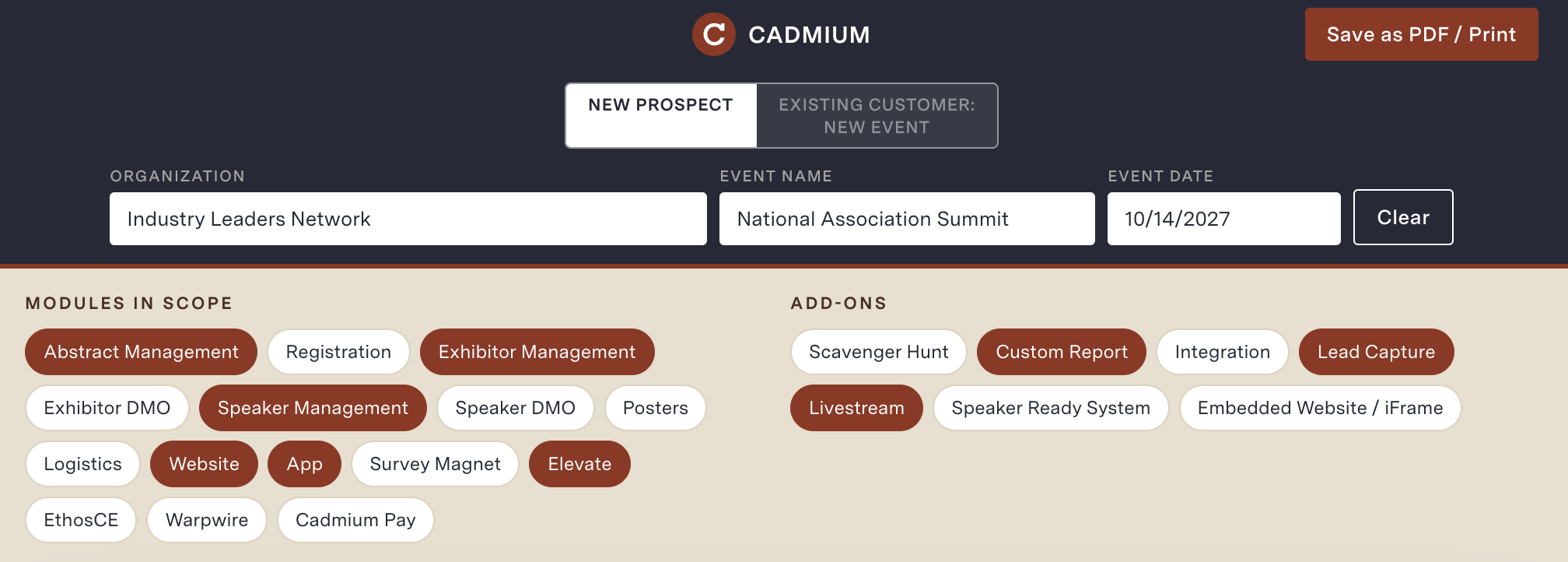
Below your event details, you'll find two groups to choose from: Modules in Scope and Add-ons.
- Modules are your core building blocks, like Abstract Management, Registration, App, Elevate, EthosCE, and Warpwire.
- Add-ons are the extras that round out your event, like Custom Report, Integration, and Lead Capture.
Tap any item to add it to your plan. Add as many or as few as you need, then change your mind as often as you like. Your timeline updates the moment you make a change, so you can test different combinations and watch how each one shifts your schedule.
Read your proposed timeline
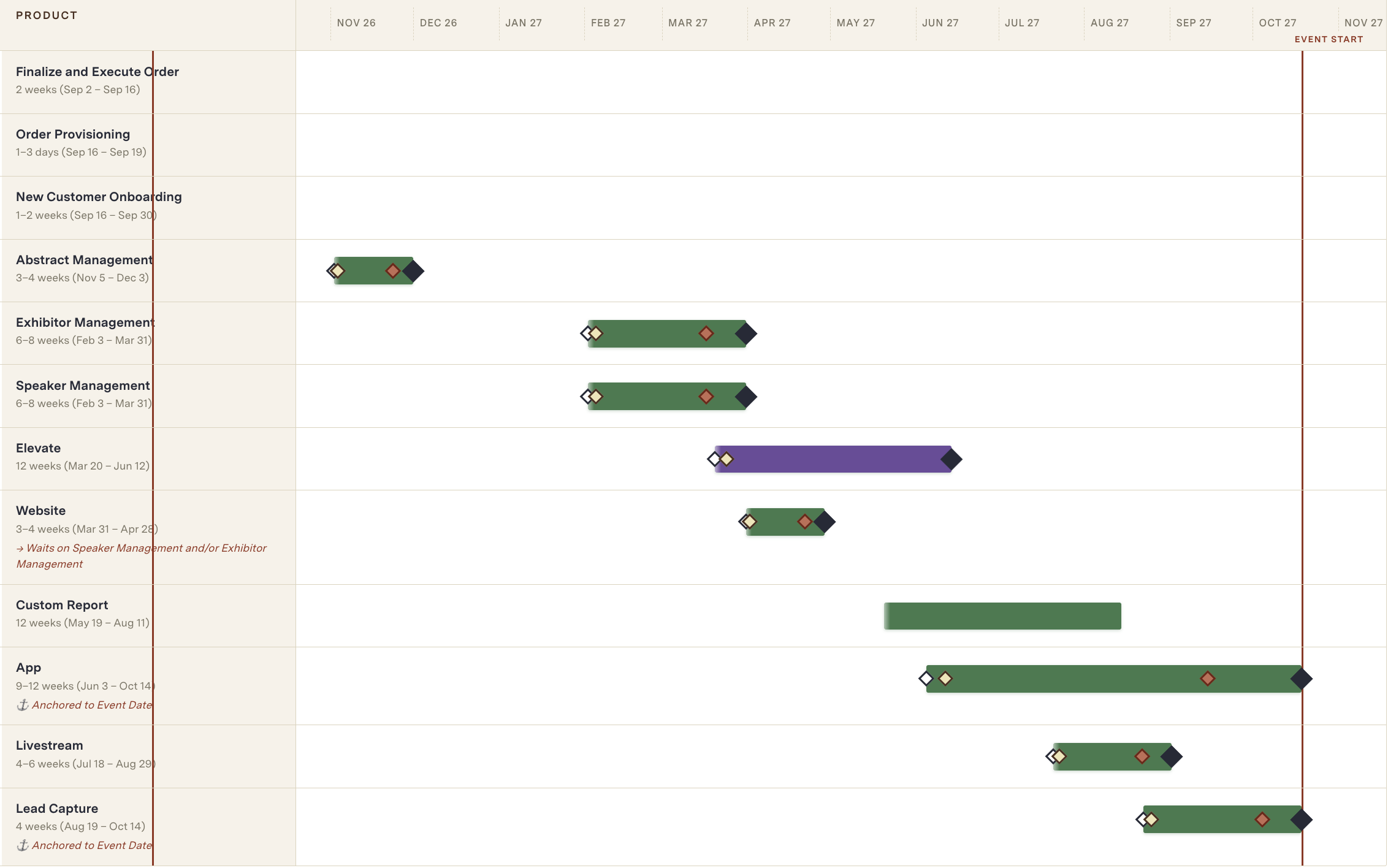
Once your modules are set, the guide builds a visual timeline for you. Each product gets its own bar showing when work begins and when it launches, laid out against a shared calendar so you can see the full sequence.
Milestone markers highlight the moments that matter most:
- Kick Off Call, where your project officially begins
- Configuration and Testing, where your setup takes shape
- Cadmium Quality Check, where our team reviews the work
- Launch Date, when your module goes live to your audience
Colors group everything by product type, so you can separate pre-implementation work from your product and feature timelines at a glance.
Adjust the details to fit your plan
Nothing is locked in, and there are three ways to make the plan your own:
- Drag a product bar to shift its start and launch dates.
- Move the Launch Date marker to set a new go-live target.
- Edit a launch date directly in the Timeline Detail table below.
The Timeline Detail table breaks every step down further with typical durations, start dates, and timing notes that explain why certain products take longer or depend on others. If a date turns red or the sequence looks tight, that's your cue to talk it through with your Cadmium contact.
Pro Tip: Made a few too many changes? Click Restore All Defaults to reset everything and start fresh.
Save and share as a PDF
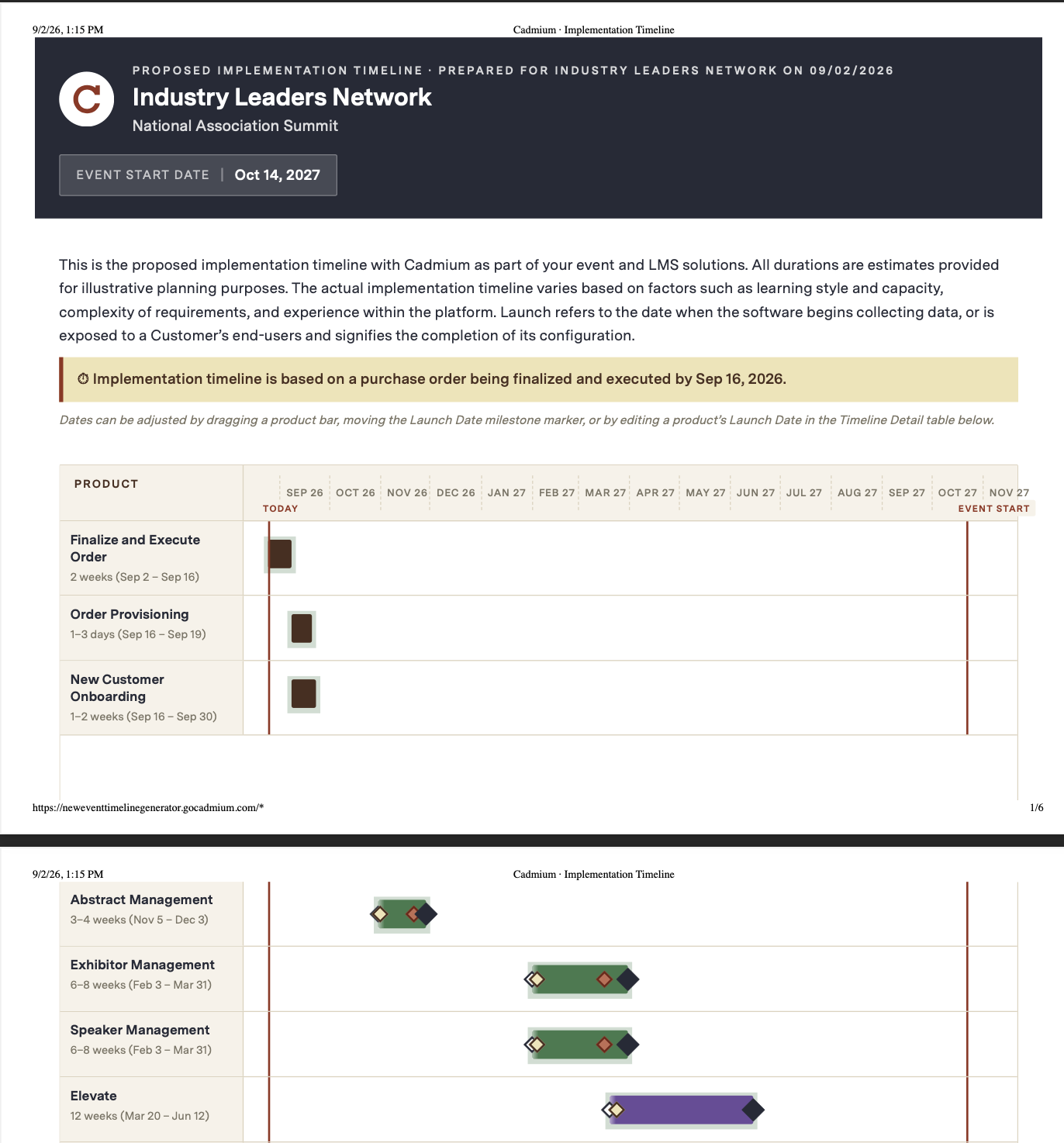
When your timeline looks right, click Save as PDF / Print. You'll get a clean, shareable file that's ready for:
- Your internal team, so everyone works from the same schedule
- Your board or leadership, when you need to show the plan at a glance
- Your Cadmium project manager, to kick off the real conversation
It's an easy way to keep everyone aligned on what's coming and when.
A quick but important note
These timelines are general approximations, not promises. Real timing depends on a few things:
- Your team's availability throughout the project
- The complexity of your setup and requirements
- Your experience working in the platform
Your assigned Cadmium project manager will walk through the actual timeline with you once you're ready to move forward. Think of this guide as your starting point, not the final word.
Ready to map your launch?
Get a clear view of what's ahead before you commit. Try the Cadmium Implementation Timeline Generator here to start planning your next event and education experience today.